← All work Security

AV Scanner

A free, open-source, read-only security check for Windows that explains every finding in plain English.

Kind
Security
Stack
.NET
Parts
Windows app, website with a live demo
Site
av.kaej.dev
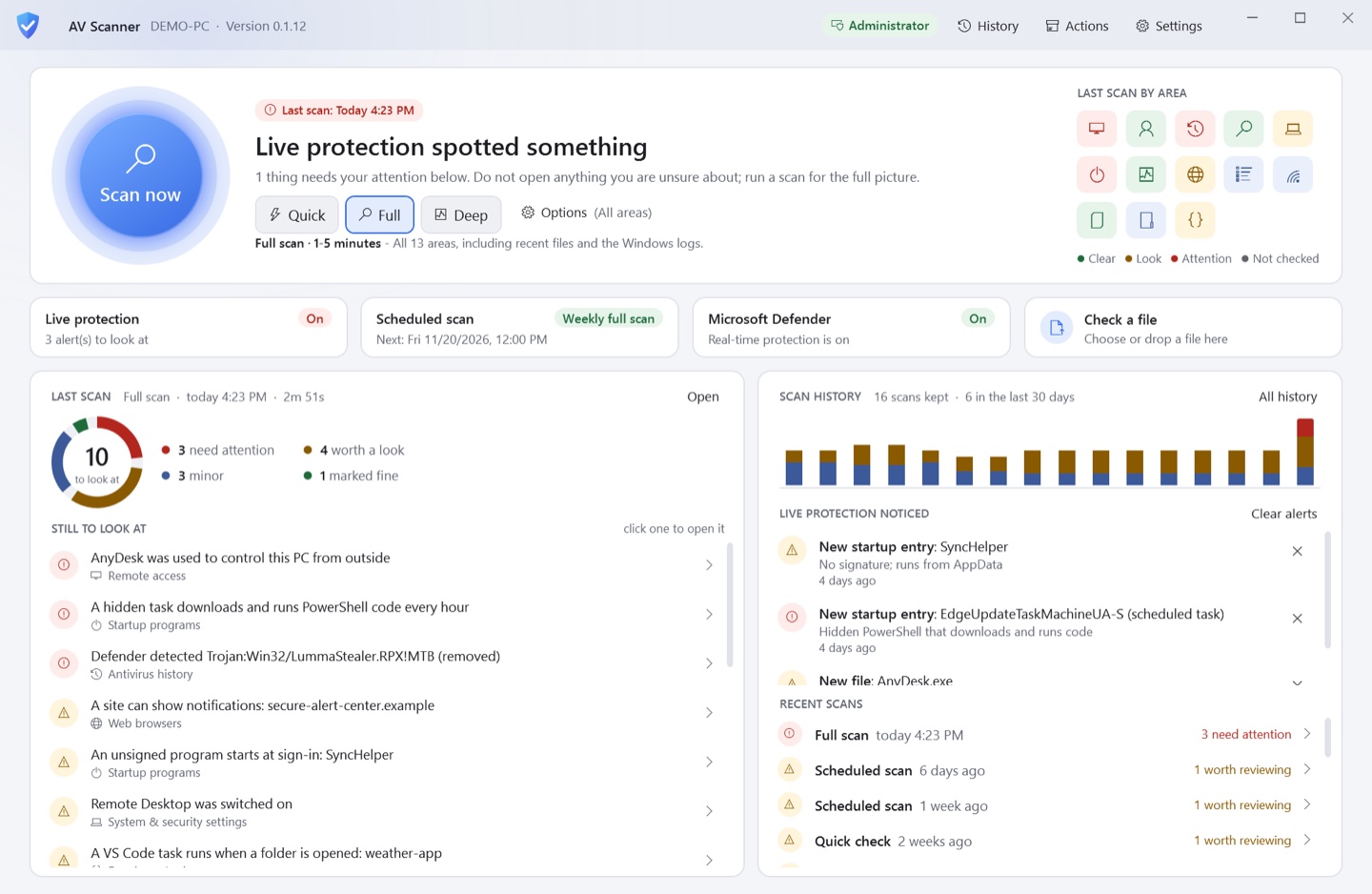
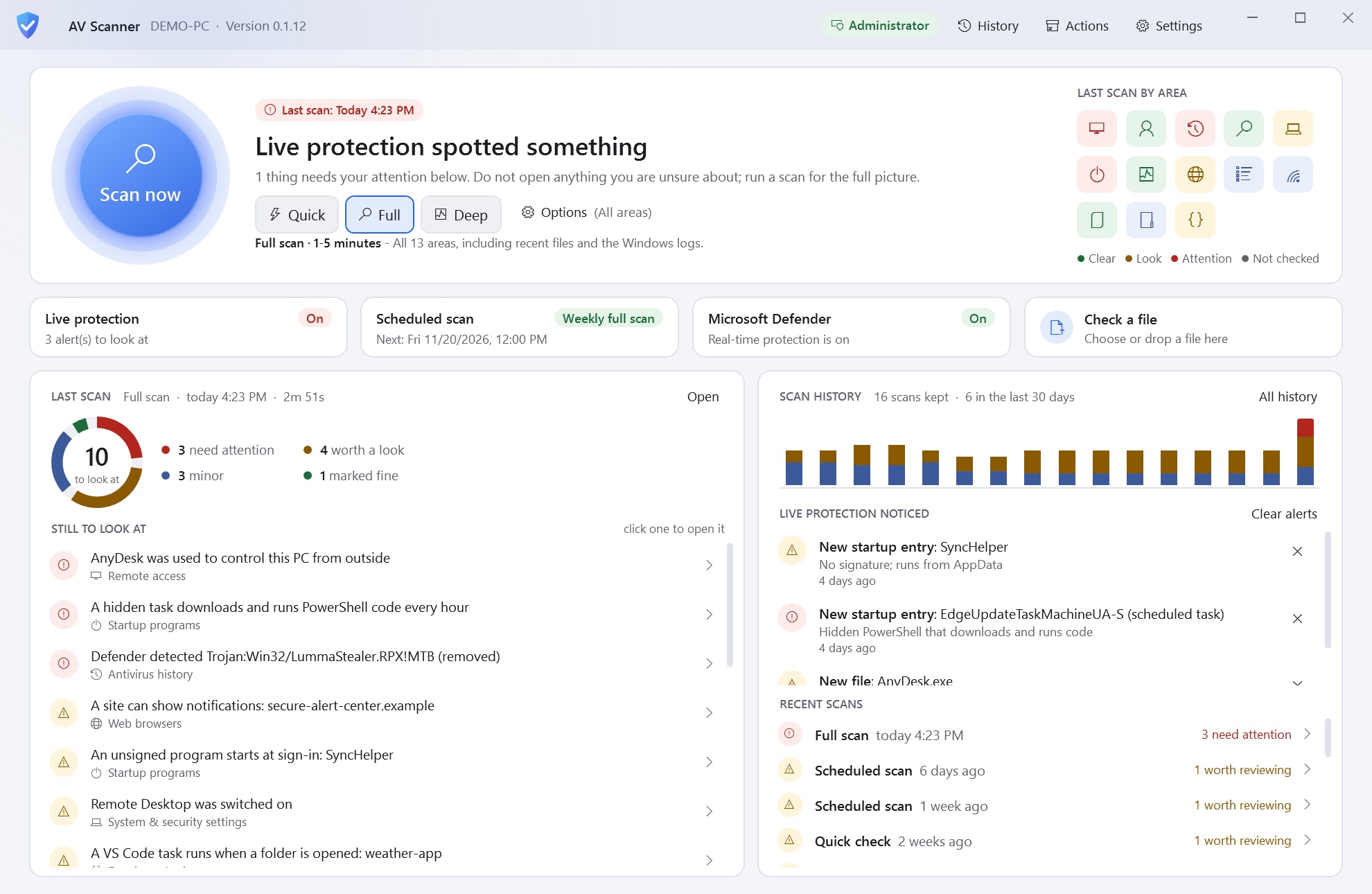
AV Scanner's home screen with a Scan now button and the last scan by area, light theme
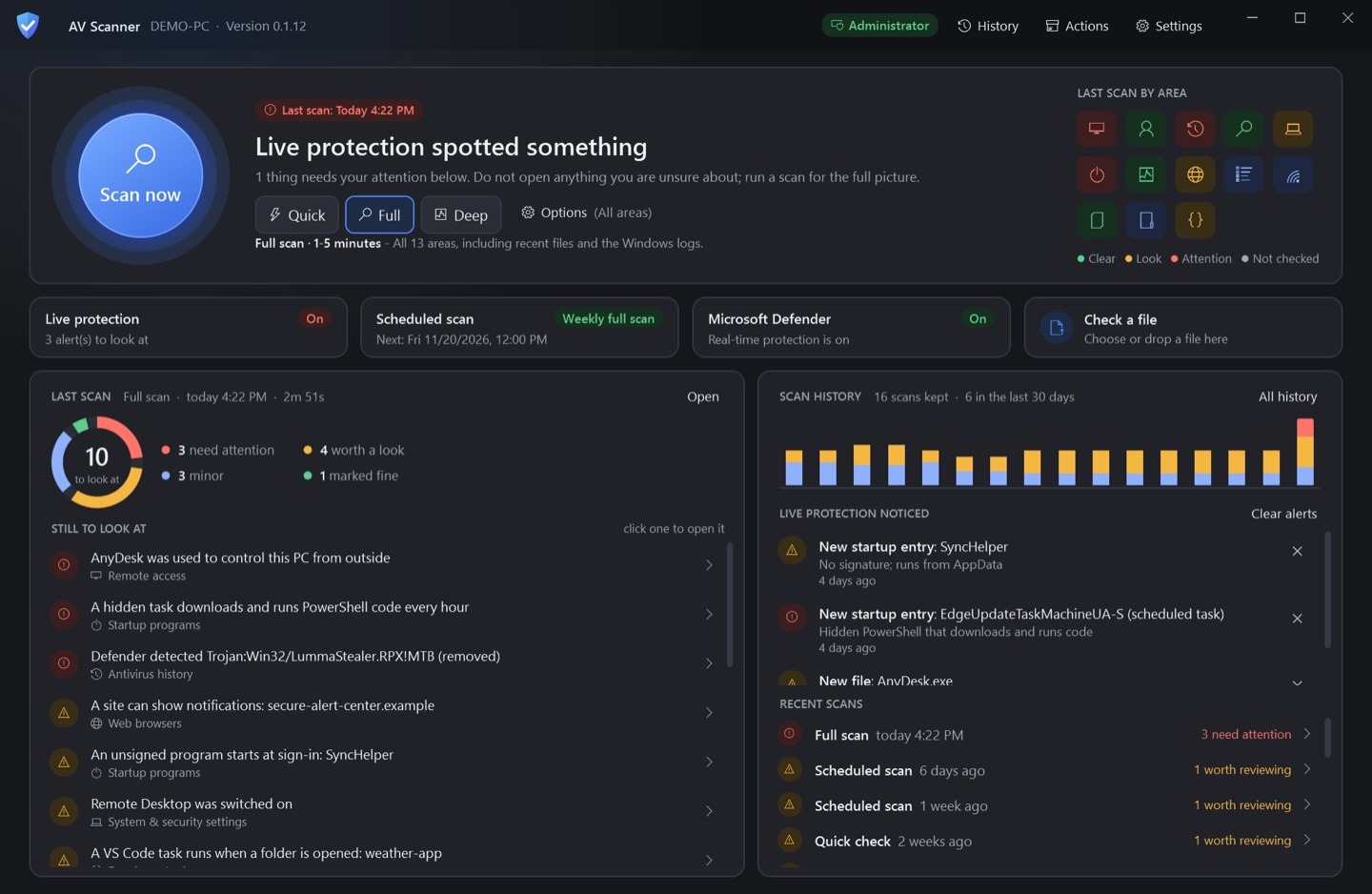
AV Scanner's home screen with a Scan now button and the last scan by area, dark theme
LightDark View larger
Home: scan now, the last scan by area, and what's left to look at.

Overview

AV Scanner looks where malware, tech-support scammers and intruders leave traces across 13 areas of a Windows 10 or 11 PC: remote-access tools, startup entries, browser hijacks, sign-ins, event logs and more. It works alongside Microsoft Defender, uploads nothing, and needs no install or admin rights.

Every finding says what was found, why it matters and what to do next, with the evidence behind it. A timeline puts sign-ins, installs and Defender events in order, and each scan is compared with the last.

What we built

13 areas

Remote access, startup programs, browsers, accounts, event logs and more, each shown as checked.

Plain English

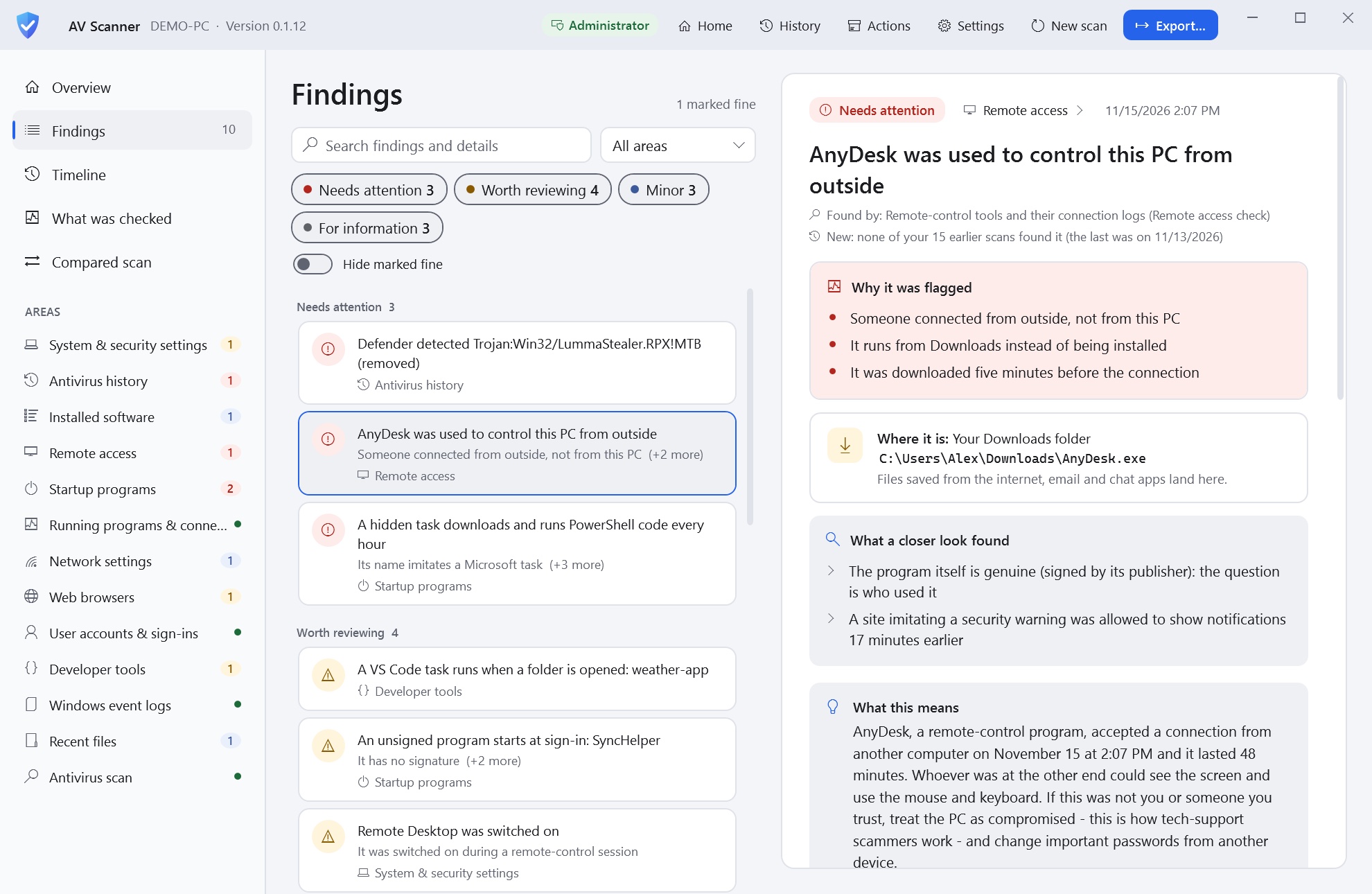
Every finding says why it was flagged, where it is and what a closer look found.

Next steps

A calm verdict first, then numbered steps in the right order.

Timeline

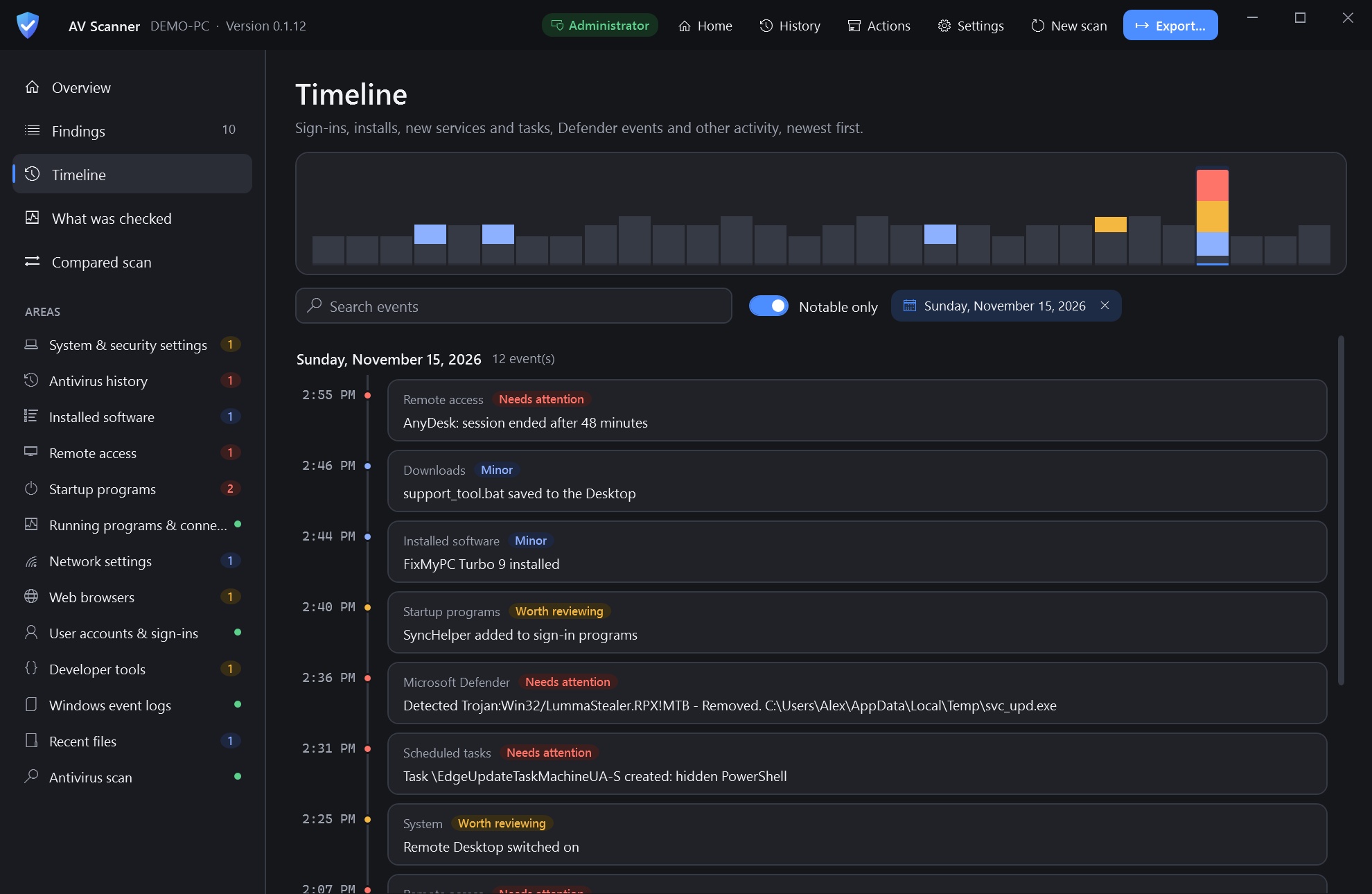
Sign-ins, installs, new tasks and Defender events on one timeline.

Check a file

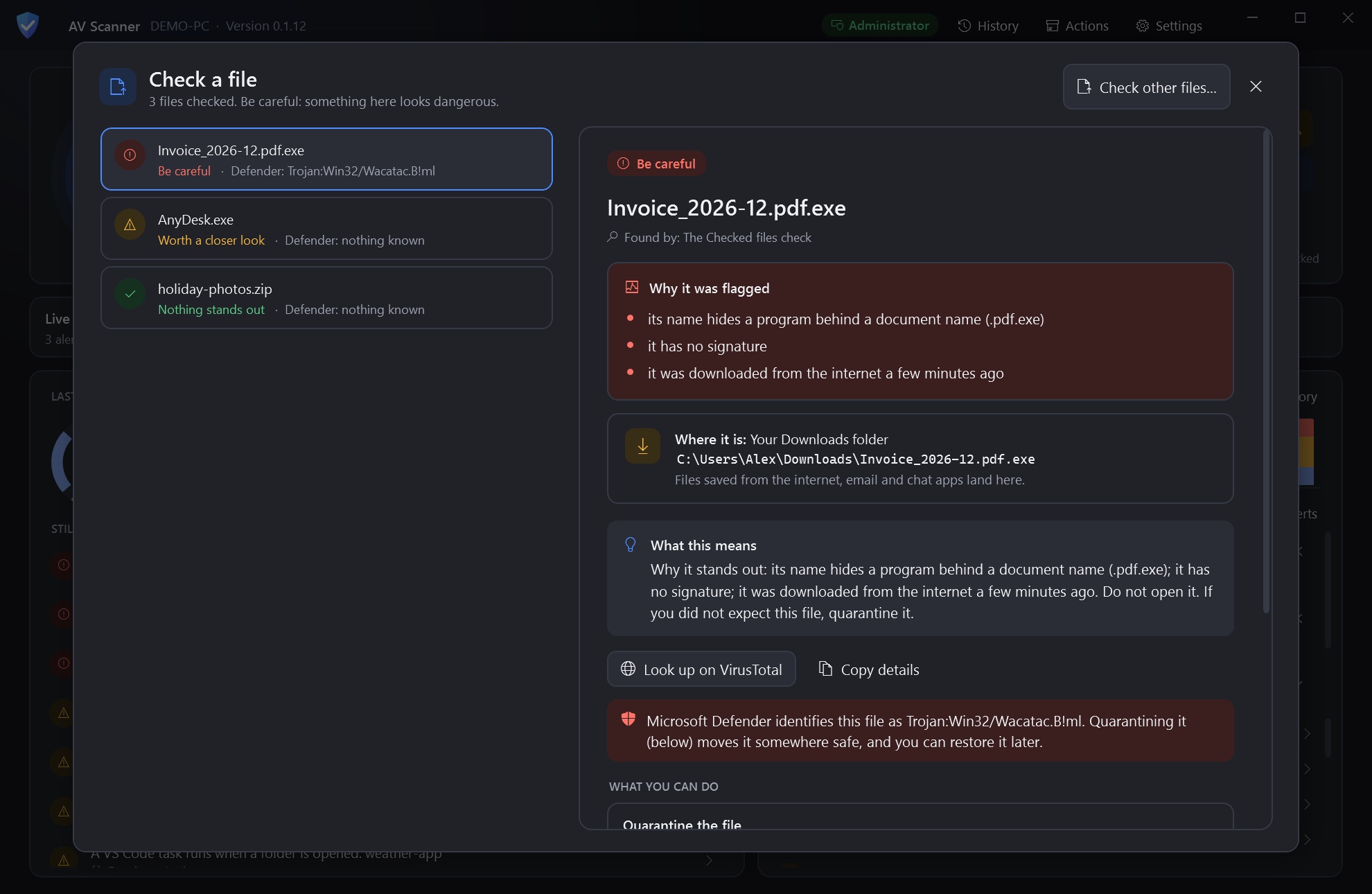
Flags an invoice that is really a program, and says what to do.

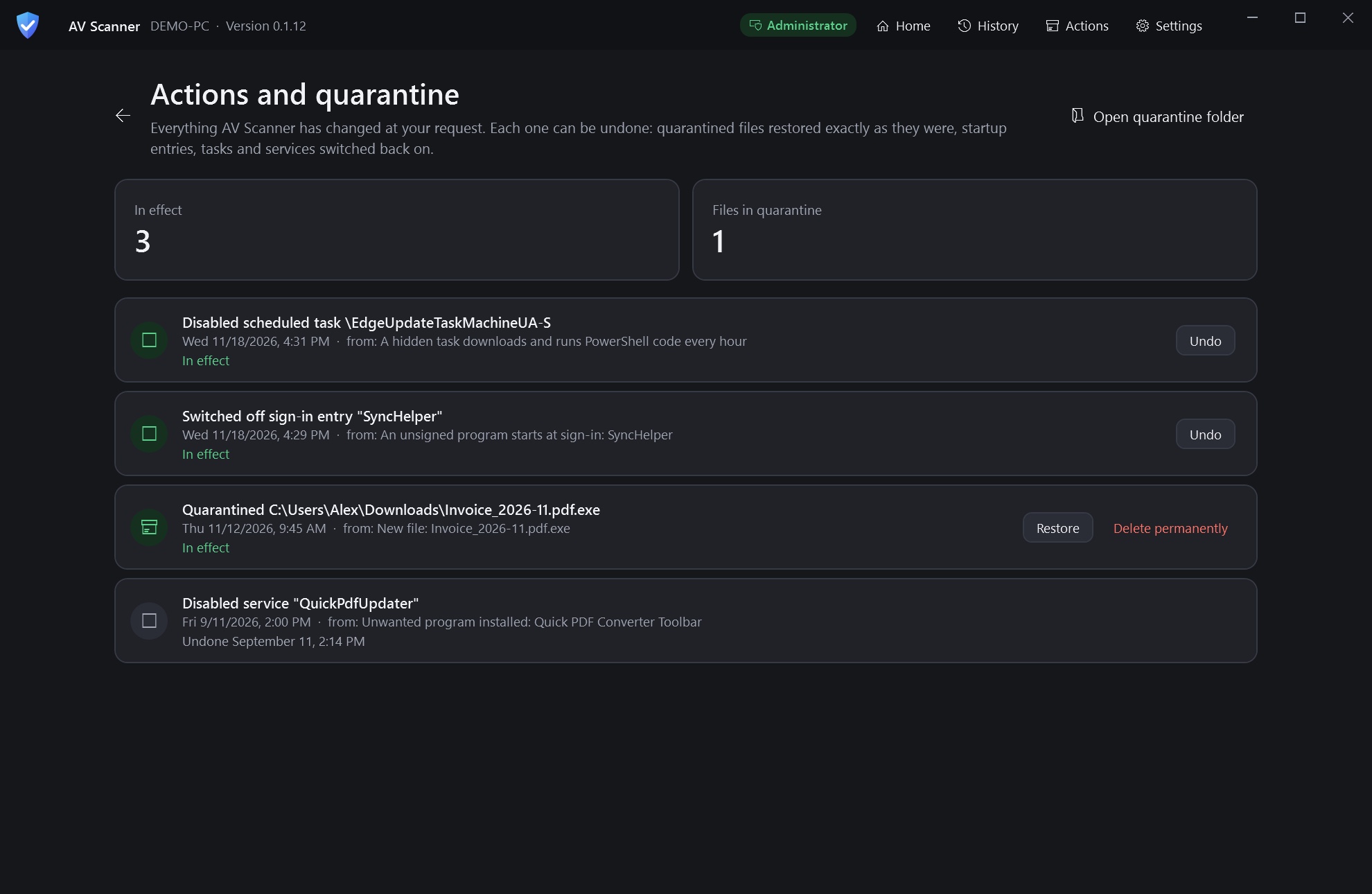
Actions with Undo

Disable a task, switch off a startup entry or quarantine a file, and undo any of it.

Screens
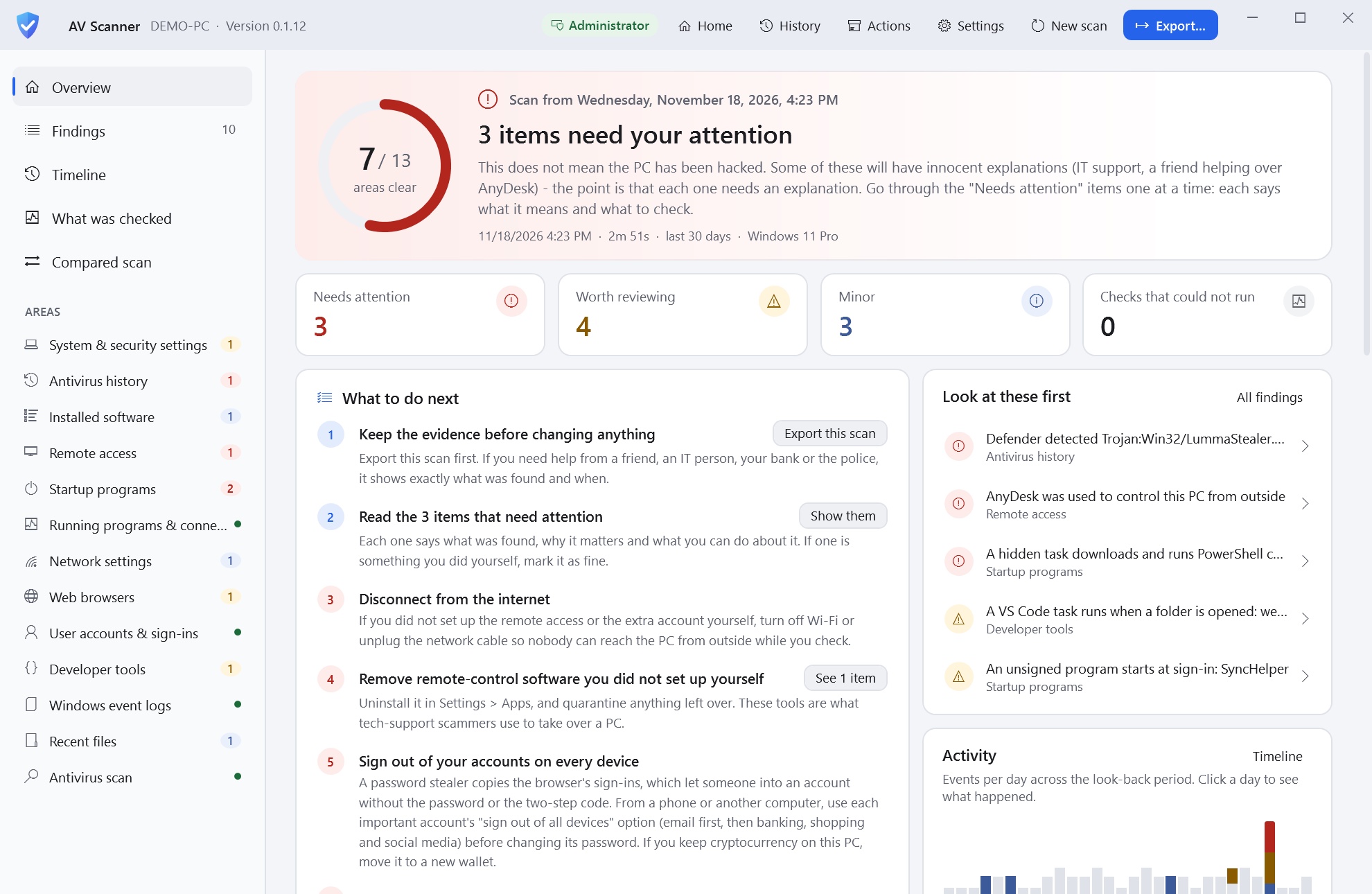
A scan overview with three items needing attention and next stepsA scan overview with three items needing attention and next steps
A scan's verdict, with numbered steps for what to do next.
A finding explaining remote control by AnyDesk, with why it was flaggedA finding explaining remote control by AnyDesk, with why it was flagged
A finding: AnyDesk used to control the PC from outside.
The timeline of a day with a remote session and a new hidden task
One afternoon on the timeline: a remote session, a hidden task, a trojan removed.
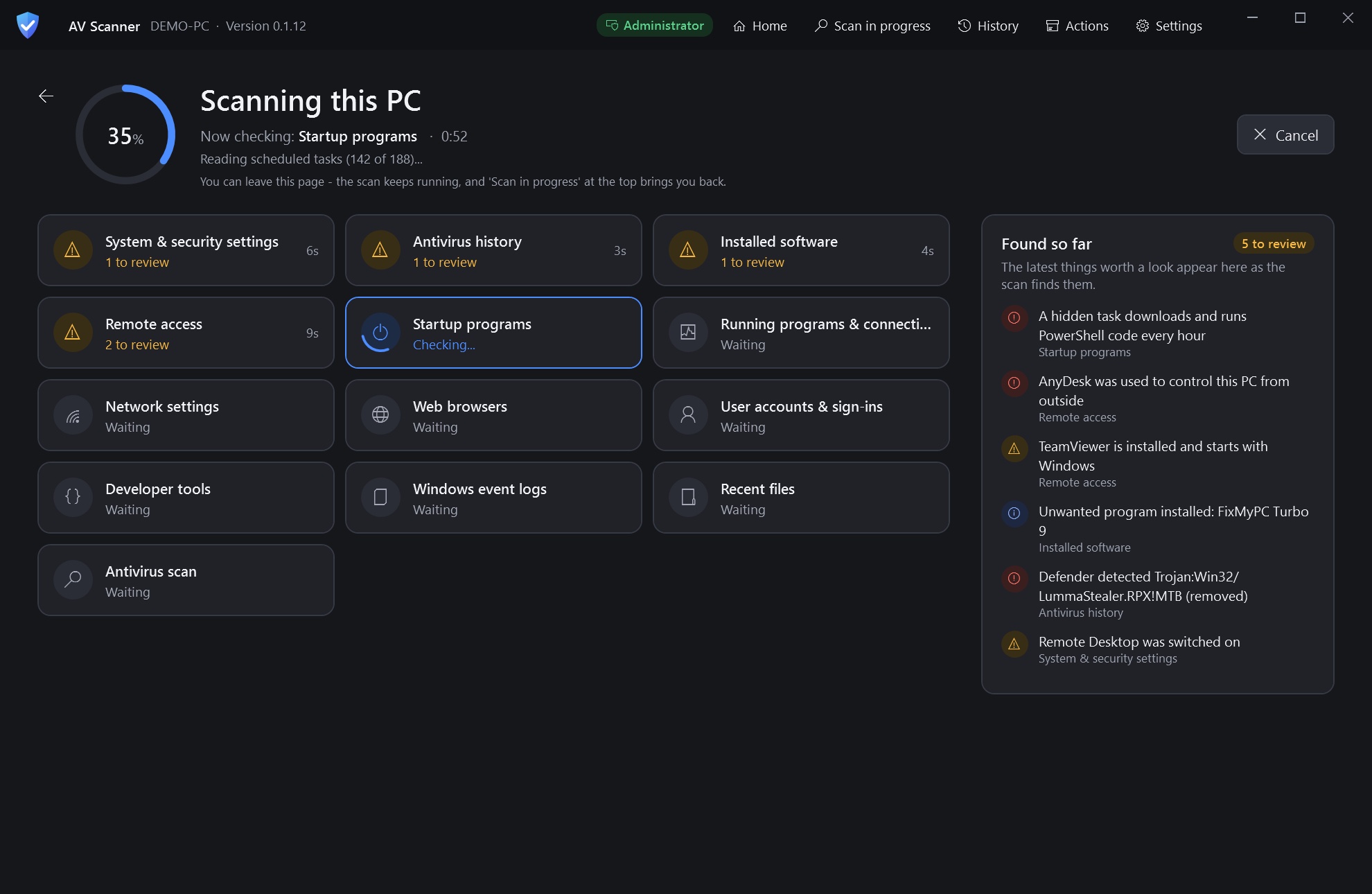
A scan in progress across 13 areas
Scanning, with findings as they turn up.
A file check flagging an invoice that is a program
Check a file: an invoice that is really a program.
A list of actions taken, each with an Undo button
Actions and quarantine, each with Undo.
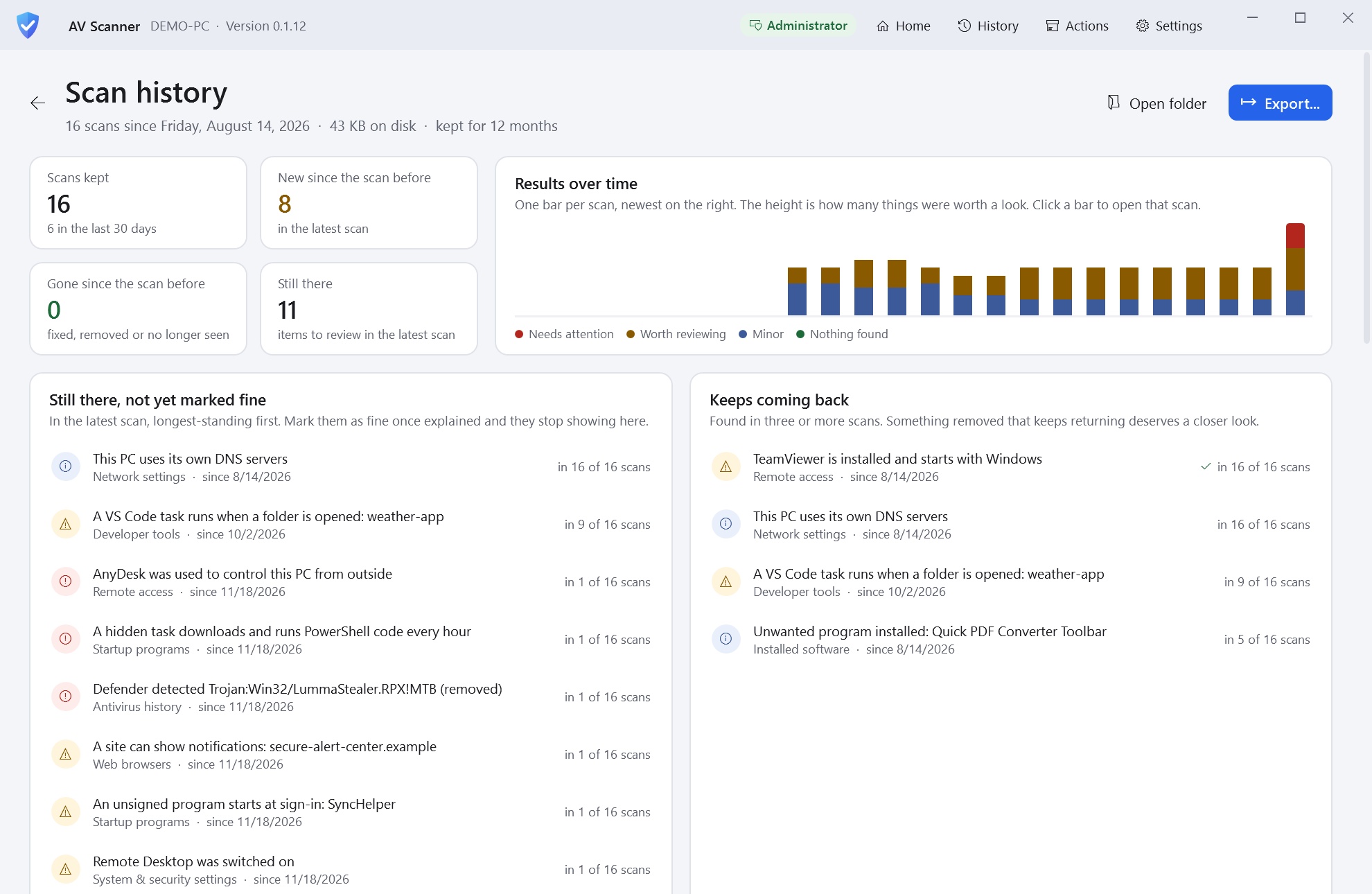
Scan history with results over timeScan history with results over time
Scan history, and findings that keep coming back.